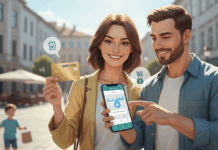

Use Lidl’s digital rewards card to access coupons, digital receipts, and app-only offers more easily.
Lidl Plus can help shoppers organize savings through a free mobile app. Benefits, offers, availability, and rewards may vary by country, store, and current promotional terms.
Choose an Option:

Why Consider Lidl Plus?
- Weekly digital coupons
- Digital receipts in the app
- Scratch card rewards after shopping
- Partner offers in selected regions
What to Know Before Using It
Check Availability
Lidl Plus is available in many markets, but features and promotions can vary by country or region. Some partner offers and discounts may only apply in selected locations.
Before registering, confirm that the app is supported in your area. You may also need to select your preferred Lidl store to see local offers.
Understand How Savings Work
Lidl Plus does not work like every traditional points program. Savings usually come through activated coupons, instant discounts, scratch cards, and selected partner deals.
Not every shopping trip will produce the same savings. Your results depend on current offers, product choices, and how often you shop at Lidl.
Review Privacy and App Settings
Because Lidl Plus is digital, the app may use shopping activity and account details to personalize offers. Reviewing privacy settings can help you manage your data more confidently.
Keep your login details secure and update the app regularly. If you no longer want to use the service, check the account settings for support or deletion options.
Start in 3 Steps
- Download the Lidl Plus app from your device’s app store.
- Register for free and choose your preferred Lidl store.
- Activate coupons and scan your app at checkout.
Make Each Trip More Organized
Checking offers before you shop can help you plan purchases and avoid missing useful discounts. Digital receipts can also make budgeting and returns easier.
How Does It Work?
Register in the App
Download the official Lidl Plus app, enter your basic details, and complete the account setup. Availability may depend on your country and device compatibility.
Activate Offers
Review weekly coupons, partner deals, and available rewards before shopping. Some offers may need activation before checkout.
Scan at Checkout
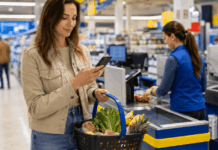
Scan your Lidl Plus card in the app when paying. Eligible discounts, rewards, and digital receipts are then applied or stored according to the current terms.
Shop with More Control
Lidl Plus can make grocery shopping more practical for customers who enjoy digital coupons and organized receipts. Before relying on savings, review current offers, app availability, privacy settings, and regional terms.